HSP Desktop
Powered by HSPiPy
The fastest way from solvent compatibility data to a fitted HSP sphere — with interactive 3D/2D visualisation and a full solvent database built in.
· One-time license · Documentation
From data to insight in three steps
Import your data
Load solvent compatibility scores from CSV or HSD files, or start directly from the built-in 249-solvent database.
Fit in one click
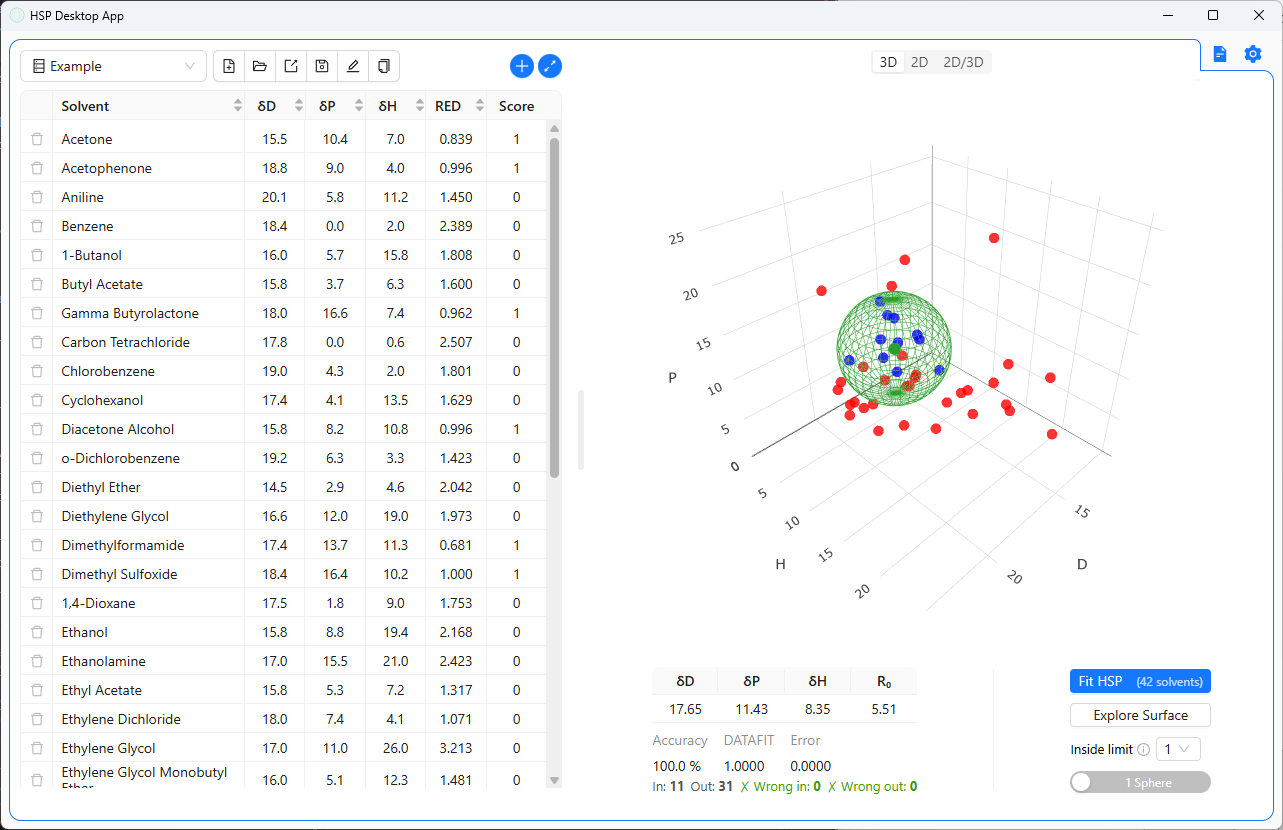
Get your HSP sphere — R₀, accuracy, DATAFIT, and RED — instantly. Need two spheres for a bimodal material? Same click.
Explore & export
Rotate in 3D, filter in 2D, run the Surface Explorer to find candidate solvents, then export to CSV or Excel.
Everything you need in one app
A complete HSP workflow — from raw compatibility scores to publication-ready visualisations.
249-solvent database
Built-in dataset with full HSP values, physical properties, and CAS numbers — ready to use without any setup.
One-click sphere fitting
Fit an HSP sphere to your scoring data in one click. Accuracy, DATAFIT, and RED are computed automatically.
Two-sphere fitting
Simultaneously fit two HSP spheres for bimodal or complex materials — directly in the interface, no scripting needed.
Interactive 3D & 2D plots
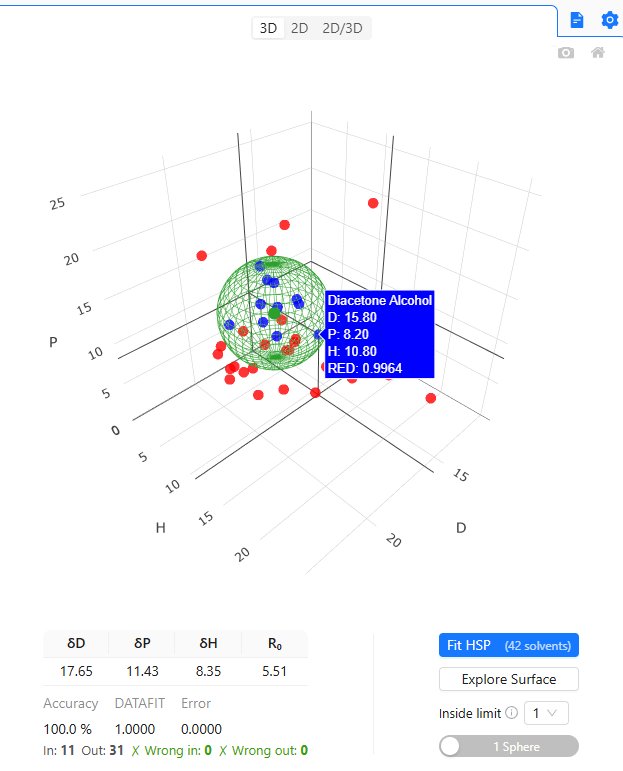
Explore your HSP space with interactive visualisations. Rotate, zoom, and hover for solvent details.
Surface Explorer
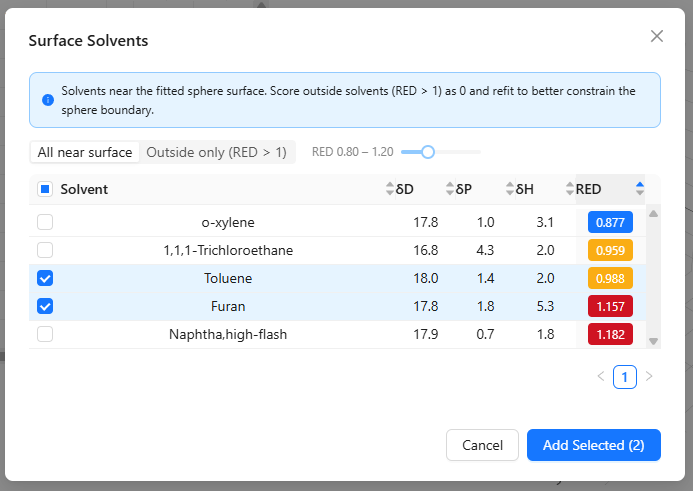
Find database solvents near the sphere boundary to improve coverage and refine your fit — with one click.
Solvent gradient generator
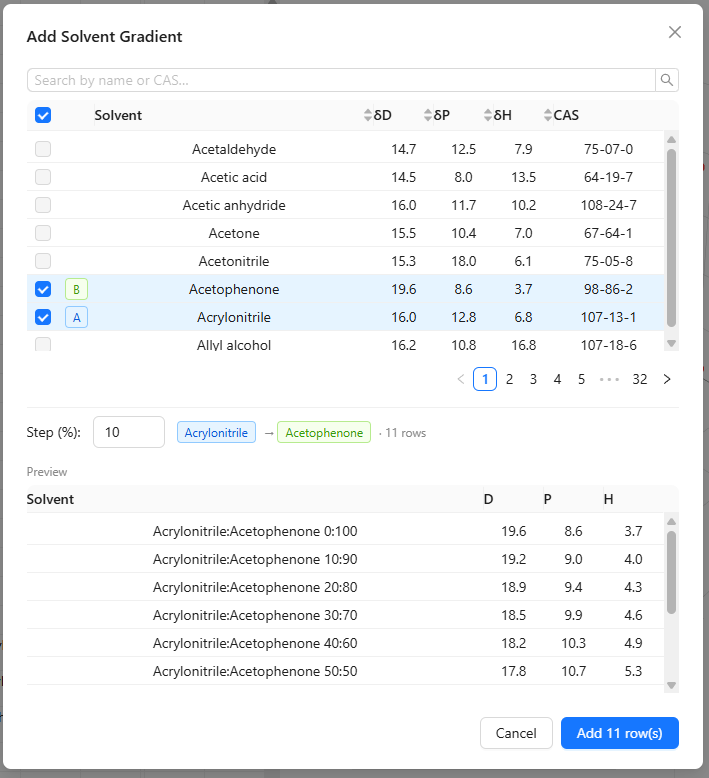
Generate binary blends at configurable ratios to reach a target HSP coordinate with available solvents.
Flexible import & export
Import .csv, .hsd, and .hsdx files. Export results to CSV or Excel for reporting or downstream analysis.
Named grid sessions
Save and reload named grids with fit results stored alongside your data. Pick up exactly where you left off.
English · Español · 中文
Full interface localisation in three languages. Switch at any time from the settings panel.
See it in action
Automate your HSP workflow
HSP Desktop starts a local API server on launch. Every computation available through the UI — sphere fitting, solvent queries, surface exploration — is also accessible as an HTTP endpoint under /api/hsp/. Built for programmatic use, from scripts to AI agents.
Requests are authenticated with an X-API-Key header. The key is displayed in the app settings panel. Call the API from Python, R, Node.js, or any HTTP client.
Interactive docs (Swagger UI) are served automatically at localhost:PORT/docs while the app is running.
import requests

BASE    = "http://localhost:PORT/api/hsp"  # default PORT 8000
HEADERS = {"X-API-Key": "your-api-key"}

# Fit an HSP sphere to your scoring data
result = requests.post(
    f"{BASE}/fit",
    headers=HEADERS,
    json=[
        {"D": 15.5, "P": 10.2, "H": 7.0, "Score": 1},
        {"D": 18.1, "P":  6.0, "H": 3.1, "Score": 0},
        {"D": 16.8, "P":  9.3, "H": 8.4, "Score": 1},
    ],
).json()

# result["hsp"]      → [[δD, δP, δH, R0], ...]
# result["accuracy"] → 0.94
sphere = result["hsp"][0]

# Find the 5 nearest solvents to the sphere centre
similar = requests.get(
    f"{BASE}/solvents/similar",
    headers=HEADERS,
    params={"D": sphere[0], "P": sphere[1],
            "H": sphere[2], "n": 5},
).json()
Compare all plans
Open source
Python library
- Fit HSP spheres from Python scripts
- 2D and 3D visualisations
- MIT licensed — use it anywhere
- The engine HSP Desktop is built on
pip install HSPiPyDesktop app
One-time license · instant delivery
- Windows, macOS, and Linux
- License key delivered instantly via LemonSqueezy
- Current version updates free · Major releases at a reduced upgrade price
- Directly funds the HSPiPy open-source library
Enterprise
Tailored solutions
- Custom integrations and workflows
- Bespoke feature development
- Contract-based engagement
- Priority support
The science is powered by HSPiPy, an open-source Python library for Hansen Solubility Parameters. Buying HSP Desktop directly funds its development.